
AI room design
AI room design from one photo.
Restyle a room from one straight photo. Name the style and the furniture, and ask the edit to keep the walls, the window, the camera, and the daylight. The before and after pairs below were made with this editor. The picture compares a style. It is not a measured plan, a quote, or proof that a sofa will fit.
Before and after of the same room
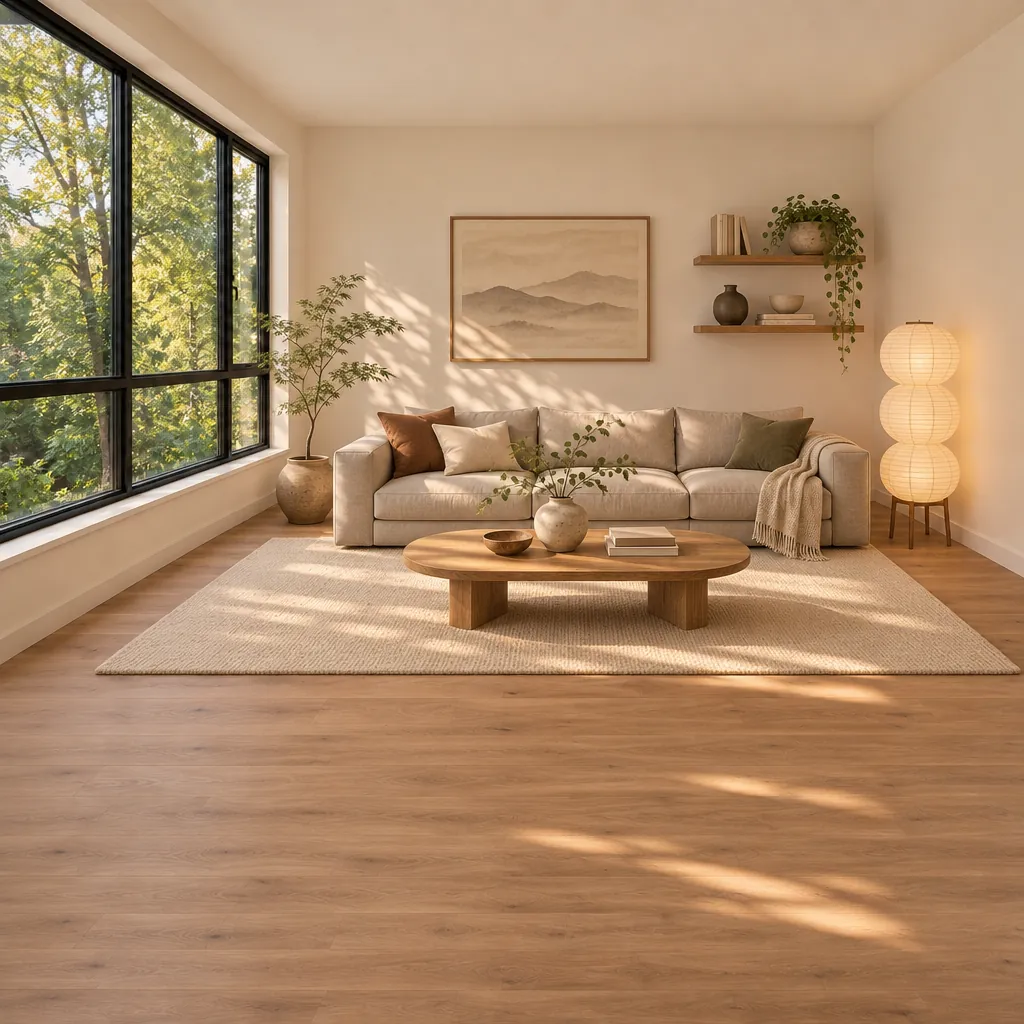
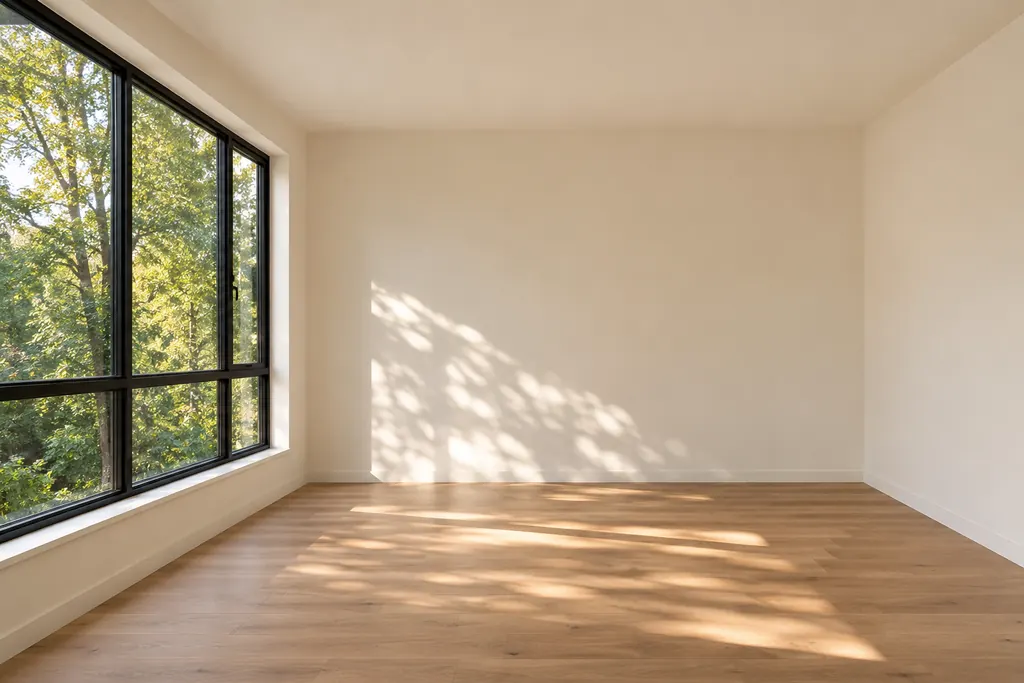
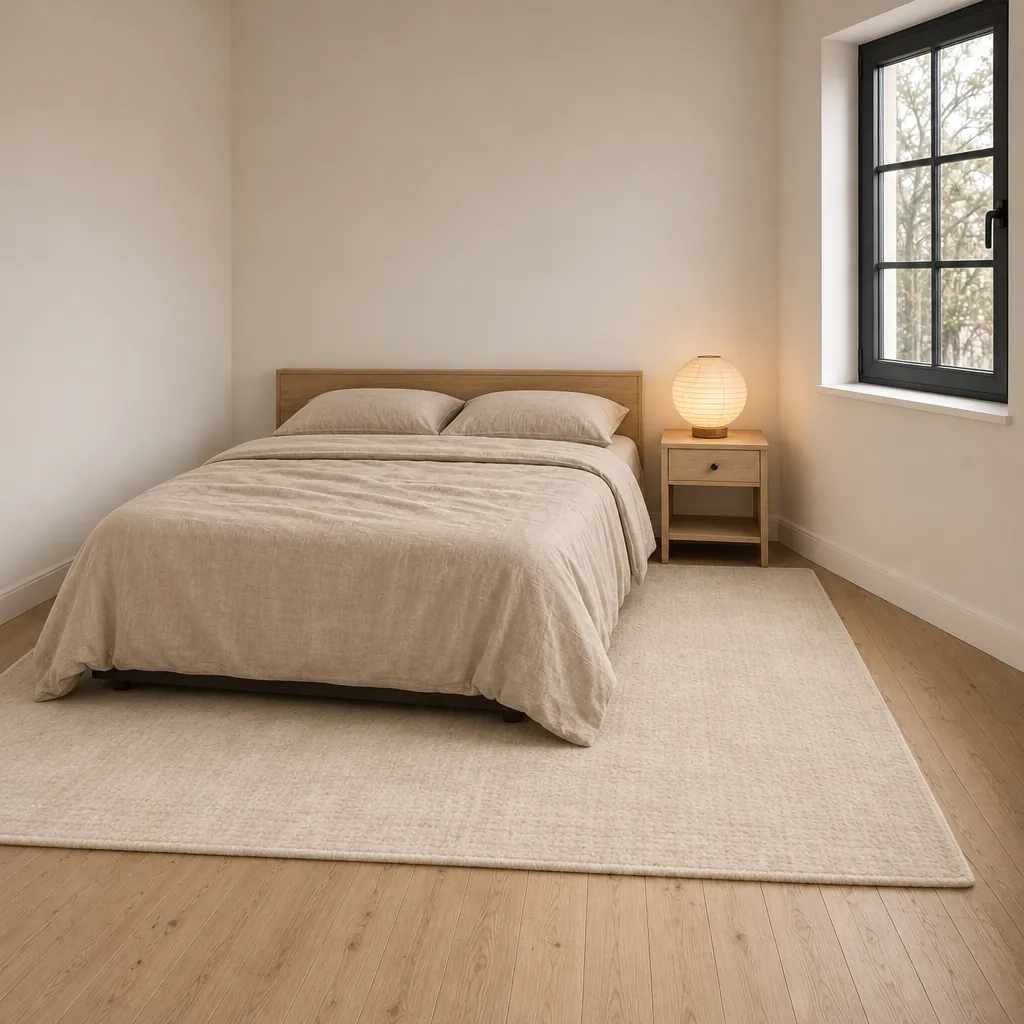
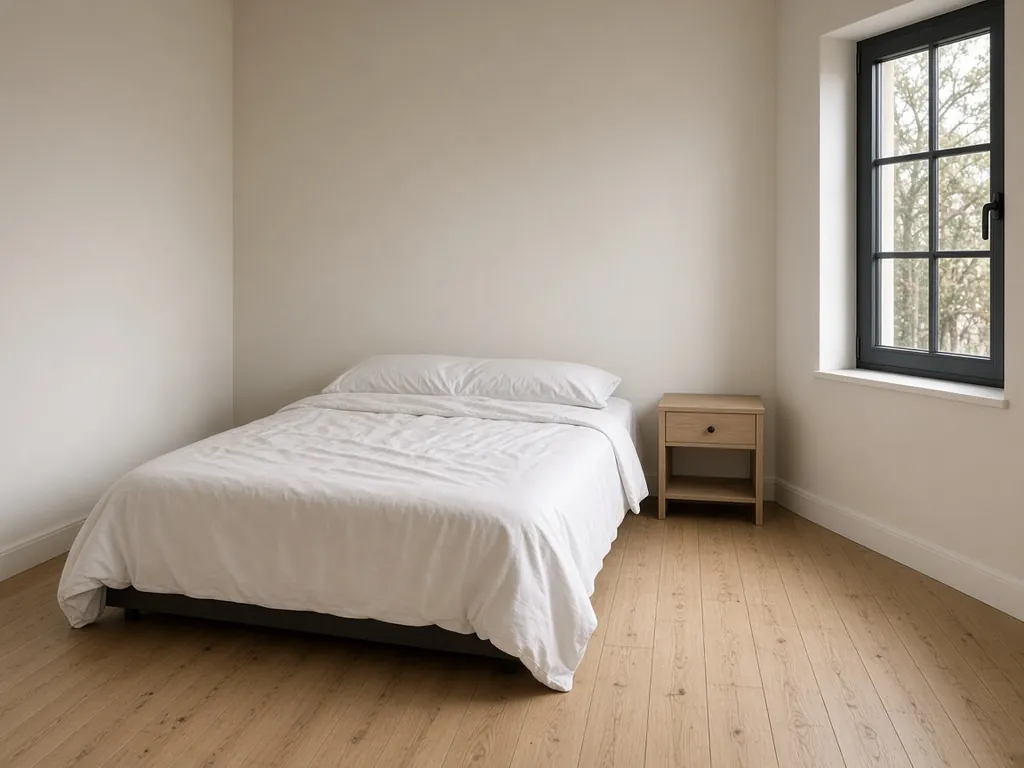
Drag each line. The left side is the photo this editor received. The right side is the image it returned for the prompt underneath. The living room started empty and was furnished. The bedroom kept the bed and the window, and changed the bedding, the headboard, the lamp, and the rug.
Both results were recorded on 2026-11-06 with the Advanced model, GPT Image 2.6 Sunburst. The living room source is this page's empty-room photo. The bedroom source is an example photo made for this comparison. The model returned a square frame, so each result is taller than its source. A different photo or a different prompt will not match these pictures.
Living room
Made with this toolAdvanced · GPT Image 2.6 Sunburst · 2026-11-06
View generation prompt
Furnish this room in warm Japandi style with a linen sofa, oak coffee table, cream rug and paper floor lamp. Keep the architecture, window, camera angle and daylight direction unchanged.
What changed: a linen sofa, an oval oak coffee table, a cream rug, and a paper floor lamp. The model also added a plant, shelves, and a framed picture.
What stayed: the black-framed window, the trees outside, the walls, and the direction of the daylight.
Bedroom
Made with this toolAdvanced · GPT Image 2.6 Sunburst · 2026-11-06
View generation prompt
Restyle this bedroom with oatmeal linen bedding, a low oak headboard, a pale wool rug and a paper lamp on the nightstand. Keep the architecture, window, camera angle and daylight direction unchanged.
What changed: oatmeal linen bedding, a low oak headboard, a pale wool rug, and a paper lamp on the nightstand.
What stayed: the window, the walls, the wood floor, where the bed and the nightstand sit, and the direction of the daylight.
Restyle a room, one photo at a time
Photograph one room and ask for one style. Name the furniture that belongs in that room. An empty room can be furnished, and a furnished room can be restyled: say which you want. A prompt written for a sofa will not set a kitchen, and a prompt written for a bed will not retile a bathroom. Check the window, the camera, and the daylight on the slider before you trust the picture.
Living room
Stand in a corner so two walls, the window, and the floor meet in the frame, and include the ceiling line.
Change the sofa, tables, rug, lamps, and art. Keep the window, the doors, and the ceiling height.
Bedroom
Shoot from the foot of the bed and include the window wall.
Change the bedding, headboard, nightstands, curtains, and lamp. Leave the bed where it is. Don't ask the picture to move the bed and keep the same view.
Kitchen
Shoot from the doorway so the cabinets, the window, and the appliances are all in frame.
Change the cabinet color, counters, hardware, backsplash, and light. Leave the appliances, the sink, and the window where they are. In a rental, keep those three in the sentence. A new kitchen in the picture is not a quote and not a plan.
Bathroom
Include the vanity, the mirror, and the shower opening. Don't crop tight on the mirror.
Change the tile, vanity, mirror, and light. Leave the fixtures where they sit. A bathroom before and after is for those surfaces, not for moving the plumbing.
Room design for a small apartment or a rental
A small apartment is still one photo per room. Restyle the living area, the bedroom, and the kitchen separately. One picture of an open studio can name the zones — sofa by the window, bed on the far wall — but it should not invent a hallway you do not have.
In a rental, ask for changes you can actually make: bedding, a rug, a lamp, curtains, and a wall color. Say the window, the sink, and the appliances stay. A before and after can help you choose that direction. It cannot move a drain, open a wall, or tell you what the lease allows.
Reading this page and moving the sliders is free. Generating needs a sign-in. The editor then shows a daily allowance of free Standard images, resetting at midnight UTC. After that allowance, Standard is 1 credit an image and Advanced costs more at higher resolutions. Failed generations give the allowance or the credits back.
Style prompts
Each prompt names the furniture, then keeps the room. These four are written for a living room.
For a bedroom, kitchen, or bathroom, replace the furniture with what that room uses and leave the last sentence as it is.
Japandi
Furnish this room in warm Japandi style with a linen sofa, oak coffee table, cream rug and paper floor lamp. Keep the architecture, window, camera angle and daylight direction unchanged.
Scandinavian
Restyle this living room as light Scandinavian with a pale oak floor, white walls, a low wool sofa, a simple pine table and a linen curtain. Keep the architecture, windows, camera angle and daylight direction unchanged.
Mid-century
Restyle this living room in mid-century modern with a walnut credenza, tapered-leg seating, an olive armchair, a cream rug and one arc lamp. Keep the architecture, windows, camera angle and daylight direction unchanged.
Warm contemporary
Restyle this living room as warm contemporary with limewashed walls, a low linen sofa, a honed stone table, a wool rug and concealed warm light. Keep the architecture, windows, camera angle and daylight direction unchanged.
Questions
Can AI restyle a room from a photo?
Yes. Upload the photo and describe the style and the furniture. Ask to keep the walls, the window, the camera, and the daylight. The model can still redraw a wall or a window, so compare those on the slider before you trust the picture.
Will it keep my layout?
It keeps a resemblance when you name what must stay. Write the window, the doors, the camera angle, and the daylight into the prompt, then check them. This editor has no mask. If the shell of the room drifts, return to the original photo and shorten the prompt. Don't edit the generated picture again.
What photo should I upload?
Use one straight, in-focus photo of a single room, with the walls, the window, and the floor lines visible. Shoot in daylight or with the lights on. A dark, tilted, or heavily filtered photo gives the model less to keep. JPG, PNG, or WebP, up to 10 MB.
Can I restyle a bedroom, kitchen, or bathroom the same way?
Yes. Use one photo of that room and name its furniture: a bed and nightstands, cabinets and a counter, or a vanity and tile. Keep the sentence about the architecture and the camera. Don't ask one photo to redesign the whole home.
Is the result a renovation plan?
No. It is a picture for comparing a style. It does not measure the room, price the work, or show that a sofa will fit. Use it to choose a direction, then check the sizes in the room.
Were these before-and-after pairs made with this editor?
Yes. The living room and the bedroom were recorded runs of this editor on the Advanced model, GPT Image 2.6 Sunburst, on 2026-11-06. Each pair shows the source photo, the full prompt, and the image that came back. A result still varies with the photo and the wording, and neither picture is a renovation plan.
Is AI room design free?
You can read this page, move the before and after sliders, and prepare a photo and a prompt with no account. Generating an image requires signing in. A signed-in account gets a daily allowance of free Standard images, shown in the editor, and it resets at midnight UTC. After that, Standard costs 1 credit and Advanced costs more at higher resolutions. Extra credits are on the pricing page.